
HolaHost Control Panel Sections
Our control panel is easy to navigate and the interface is very similar to the famous cPanel. Below is a photo taken from our control panel.
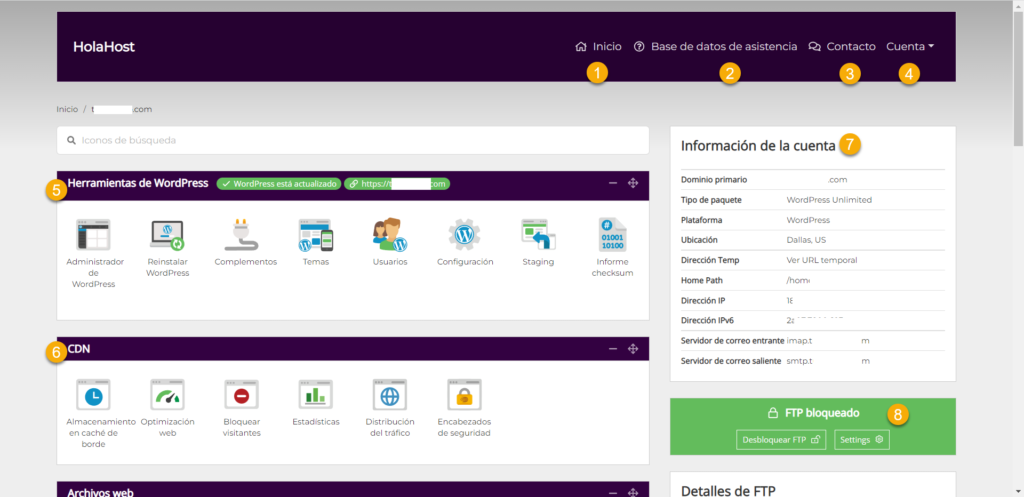
Control Panel
- Home: This will take you to the home of the holahost.com website
- An internal database where you will find answers to your questions. We are working on the external database for easier access and convenience for you.
- Contact: Here you can open a ticket if you have any questions or need our help. We are for you!
- Account: In this section, you can change any of your account information including your credit card information.
- WordPress Tools: Here you can use the tools that will help you manage your WordPress website much better. Here you can manage your plugins, and templates and access the admin area.
- CDN: Control Delivery Network here you can manage the server cache and you can optimize your website to be fast.
- Account Information: Here you can see general information about your servers such as your IP, file path, and more.
- FTP: Here you have access to your FTP so you can connect with FTP tools like FileZilla or Cyberduck.


